What Really Happens When You Deploy an Application on Kubernetes?
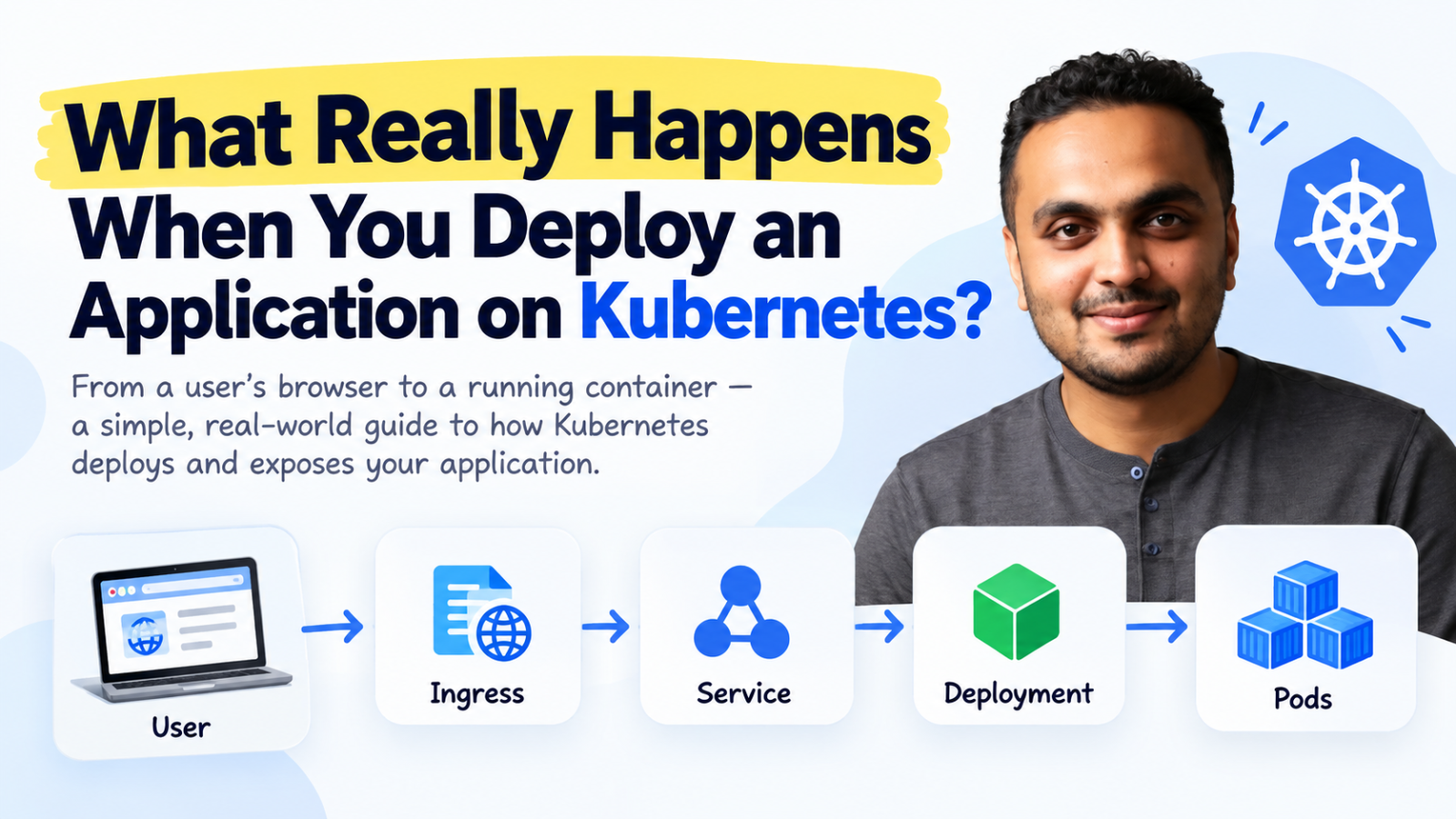
What Really Happens When You Deploy an Application on Kubernetes?
Deep Dive Use Case
When we first start learning Kubernetes, we usually learn things separately.
First Pods.
Then Deployments.
🛍️✨ From the author · ByteStoreAgentic AI For Devops Engineer₹15,000View offer →Then Services.
Then Ingress.
We create some YAML files, run kubectl apply, and see our application running.
But there is one question that is often left unanswered:
How do all these things actually work together?
For example, imagine you have an application running on Kubernetes with three Pods. A user opens your application from a browser.
How does that request reach the correct Pod?
And what happens if that Pod suddenly crashes?
This is where understanding the complete flow becomes useful.
Let's start from the beginning.
Everything Starts With a Pod
Let's say we have built a simple web application and created a Docker image for it.
Something like:
mycompany/web-app:v1When we deploy this application to Kubernetes, Kubernetes doesn't directly manage the container.
It runs the container inside a Pod.
A Pod is the smallest unit that Kubernetes manages.
Most of the time, we run one main application container inside a Pod.
But a Pod can also contain multiple containers.
For example, we might have our main application container along with another container that collects logs.
Both containers belong to the same Pod.
They share the same network and can communicate with each other using localhost.
This is useful when two containers need to work very closely together.
But there is a problem.
Running one Pod is not enough for a production application.
Why We Need a Deployment
Imagine our application is running inside one Pod.
Everything is working fine.
Then suddenly the Pod crashes.
Or maybe the Kubernetes node where the Pod was running goes down.
Now our application is unavailable.
We don't want to manually create another Pod every time something like this happens.
This is why we normally use a Deployment.
A Deployment tells Kubernetes how we want our application to run.
For example:
spec:
  replicas: 3
This simply means:
"I want three copies of my application running."
Kubernetes then tries to keep three Pods available.
If one Pod disappears, Kubernetes creates another one.
So instead of worrying about individual Pods, we tell Kubernetes what we want.
This is an important idea in Kubernetes.
We define the desired state, and Kubernetes keeps trying to maintain it.
Deployments Also Help With New Releases
Deployments are not only useful when Pods fail.
They are also useful when we release a new version of our application.
Imagine our current application is running:
web-app:v1Now our development team releases:
web-app:v2We update the container image in our Deployment.
Kubernetes can gradually create Pods running version 2 and remove Pods running version 1.
It doesn't have to stop the entire application first.
This is called a rolling update.
This is one of the reasons Deployments are commonly used for production applications.
Now We Have Another Problem: Pod IP Addresses
Let's say our Deployment is running three Pods.
Each Pod gets its own IP address.
For example:
Pod 1 → 10.244.1.10

Pod 2 → 10.244.2.15

Pod 3 → 10.244.3.20
You might think:
"Why don't we just send traffic directly to these IP addresses?"
The problem is that Pod IP addresses can change.
Pods are temporary.
A Pod can crash.
It can be deleted.
It can move to another Kubernetes node.
It can also be replaced during a deployment.
For example, Pod 2 might currently have:
10.244.2.15If that Pod disappears, Kubernetes may create a new Pod with:
10.244.4.25Now the old IP address is useless.
So applications should not depend directly on individual Pod IP addresses.
We need something stable in front of the Pods.
That is where a Service comes in.
Service Gives Us a Stable Endpoint
A Kubernetes Service provides a stable way to reach a group of Pods.
Instead of connecting directly to:
10.244.1.10or:
10.244.2.15our application connects to the Service.
For example:
backend-serviceThe Service then sends the traffic to one of the available Pods.
But how does the Service know which Pods belong to it?
It normally uses labels.
Our Pods might have:
labels:
  app: backend
And our Service might have:
selector:
  app: backend
Now the Service knows:
"Any Pod with
app: backendbelongs to me."
This is much better than tracking Pod IP addresses manually.
If one Pod disappears and Kubernetes creates another one, the Service can work with the new set of Pods.
The application calling the Service doesn't need to know that anything changed.
Why This Is Useful for Microservices
Imagine we have an e-commerce application.
It has several parts:
Frontend
Backend
Payment Service
Order Service
Inventory Service
The frontend needs to call the backend.
The backend needs to call the payment service.
The payment service may need to talk to another internal application.
We don't want every application to know every Pod IP address.
Instead, applications communicate through Services.
For example, the frontend might call:
backend-serviceThe backend might call:
payment-serviceAnd another application might call:
inventory-serviceKubernetes provides internal DNS, so applications can use these Service names.
This makes communication much easier.
Pods can change.
Their IP addresses can change.
The Service name stays stable.
ClusterIP Is Used for Internal Communication
The default Kubernetes Service type is called ClusterIP.
A ClusterIP Service is mainly used when an application only needs to be accessed from inside the Kubernetes cluster.
For example, your backend API might only need to receive requests from your frontend.
There may be no reason to expose that backend directly to the internet.
In that case, ClusterIP works well.
The frontend talks to:
backend-serviceand Kubernetes takes care of sending the request to one of the backend Pods.
But now we have another question.
What if users on the internet need to access our application?
How Does a User Reach the Application?
Imagine a customer opens:
https://shop.example.comThe customer is outside the Kubernetes cluster.
They cannot directly access our internal ClusterIP Service.
So we need a way to expose the application.
Kubernetes gives us different options.
Two common Service types you'll hear about are:
NodePort and LoadBalancer.
NodePort exposes an application through a port on the Kubernetes nodes.
You might access something like:
http://<node-ip>:30080This can be useful for testing and some specific environments.
But this isn't usually how we want customers to access a production website.
We want something clean like:
https://shop.example.comFor cloud environments, a LoadBalancer Service can provide an external entry point using the cloud provider's load-balancing infrastructure.
But production applications often have more than one Service.
That's where HTTP routing becomes useful.
This Is Where Ingress Comes In
Imagine we have three applications:
shop.example.com

api.example.com

admin.example.com
Instead of handling each application completely separately, we can use an HTTP routing layer.
Ingress is one common way of doing this in Kubernetes.
We can create rules saying:
Requests coming to:
shop.example.comshould go to:
shop-serviceRequests coming to:
api.example.comshould go to:
api-serviceAnd requests coming to:
admin.example.comshould go to:
admin-serviceIngress can also route based on URL paths.
For example:
example.com/can go to the frontend.
While:
🎓✨ From the author · Live trainingCloud & DevOps Live Cohort Internship₹2,360See the training →example.com/apican go to the backend.
This gives us much more control over HTTP and HTTPS traffic.
Ingress and Ingress Controller Are Not the Same Thing
This is something that confused me when I first learned Kubernetes, and it's an important difference.
Ingress contains the routing rules.
But something still needs to actually read those rules and handle the traffic.
That's the job of the Ingress Controller.
So creating an Ingress resource alone is not enough.
Your Kubernetes environment needs an Ingress Controller that can process those rules.
This is also something worth checking when troubleshooting an application.
If someone says:
"I created an Ingress, but my application is still not accessible."
One of the first things I would check is whether the Ingress Controller is actually running and handling that Ingress.
Now Let's Follow One Real Request
Let's say a customer opens:
https://shop.example.com/productsWhat happens?
First, DNS resolves shop.example.com to the external entry point for our application.
The request reaches the Kubernetes environment.
The HTTP routing layer checks the hostname and path.
It sees:
shop.example.comand decides that the request should go to:
shop-serviceThe Service then looks at the Pods currently available for the shopping application.
One of those Pods receives the request.
Inside that Pod, our application container receives:
GET /productsThe application processes the request and sends the response back to the customer.
The customer doesn't know which Pod handled the request.
They don't know the Pod's IP address.
They don't know which Kubernetes node the Pod was running on.
And they don't need to know.
That's one of the main benefits of Kubernetes.
What Happens If One Pod Crashes?
Now imagine our application has three Pods.
One of them suddenly crashes.
From the user's point of view, ideally nothing should change.
The Deployment knows that we asked for three replicas.
Now only two are available.
Kubernetes creates another Pod to bring the number back to three.
The replacement Pod may get a completely different IP address.
That's okay.
The Service works with the current set of backend Pods.
The user continues accessing the same URL:
https://shop.example.comThey don't need to know that Kubernetes replaced a Pod behind the scenes.
This is where Kubernetes starts to show its real value.
Running Doesn't Always Mean Healthy
There's another important lesson here.
Imagine we run:
kubectl get podsand see:
NAME        READY   STATUS
app-pod     1/1     Running
It's tempting to think:
"The Pod is running, so everything is fine."
Not always.
The container may be running while the application inside it has a problem.
Maybe it cannot connect to the database.
Maybe one of its dependencies is unavailable.
Maybe the application started but isn't ready to receive traffic yet.
This is why Kubernetes has readiness probes.
A readiness probe helps Kubernetes understand whether an application is actually ready to receive requests.
This is very important in production.
A process being alive and an application being ready are two different things.
How I Would Troubleshoot This in Production
Suppose someone tells me:
"The website is not opening."
I wouldn't immediately restart all the Pods.
First, I would check whether the Pods are running:
kubectl get podsThen I would check whether they are actually ready.
I would check the Deployment:
kubectl get deploymentThen the Service:
kubectl get svcI would make sure the Service selector matches the Pod labels.
I would also check whether the Service has healthy endpoints.
If we're using Ingress, I would check:
kubectl get ingressThen I would check the Ingress Controller.
Finally, I would look at the application logs:
kubectl logs <pod-name>The idea is simple.
Don't randomly restart things.
Follow the request.
Find where it stops working.
The Important Part to Remember
When you deploy an application to Kubernetes, several things work together.
A Pod runs your container.
A Deployment makes sure the required number of Pods are running.
A Service gives those Pods a stable network endpoint.
A ClusterIP Service allows applications to communicate inside the cluster.
A LoadBalancer can help expose an application outside the cluster.
An Ingress defines HTTP and HTTPS routing rules.
An Ingress Controller actually handles those routing rules.
And modern Kubernetes environments may also use Gateway API for more advanced traffic routing.
You don't need to memorize everything on day one.
The most important thing is understanding why each component exists.
Final Thoughts
When I started learning Kubernetes, looking at each component separately made everything feel complicated.
Pods made sense.
Deployments made sense.
Services made sense.
Ingress also made sense.
But the real understanding came when I connected all of them and followed one request from the user to the application.
That's also how I approach Kubernetes problems today.
If an application is not reachable, I don't just ask:
"Is the Pod running?"
I ask:
"How is the request supposed to reach that Pod?"
Then I check each part of that path.
Once you start thinking this way, Kubernetes becomes much easier to understand.
You're no longer just looking at YAML files.
You're understanding how your application actually runs.
🛍️ Sourabh Bhoyar's shelf
Courses, cohorts and more from the author
DevOps Engineer with 3 years of experience specializing in Docker, Kubernetes, Terraform, and Azure DevOps. Passionate about streamlining development processes and enhancing operational efficiency through automation and cloud solutions.
Visit my ByteStoreAutomation at your doorstep
💬 Comments (0)
Top · NewestSign in to comment